
Considerations
The below recommendation assumes:
- All plans use the same recordkeeper.
- There is no requirement to know which of the plans any particular data point in the AuditMiner Workpapers comes from. This includes but is not limited to participants, contributions, distributions, loans, investments, and roll forwards.
- There is no overlap in populations between the plans.
Instructions for Processing in AuditMiner
Assuming the above 3 items are true, you can create one engagement following the below instructions.
For more details on setting up an AuditMiner Engagement, see this article.
Step 1: Create the New Engagement and add the Recordkeeper
Populate the Engagement Settings then select the Continue to Upload button.
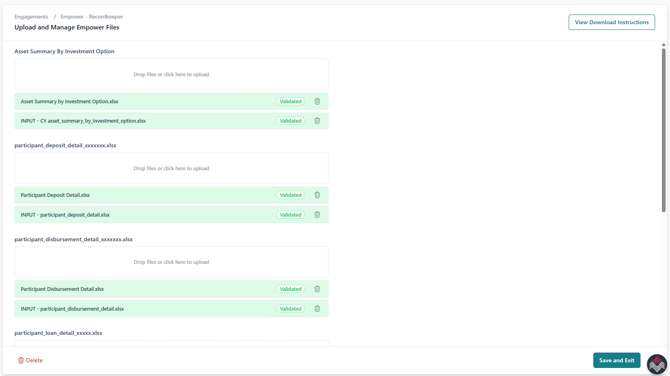
Step 2: Download all files from the recordkeeper and upload them.
Select Save & Exit when all files have been uploaded.
Step 3: Finish the set up and submit to AuditMiner for processing
AuditMiner will produce a single set of Workpapers combining the data for all plans.