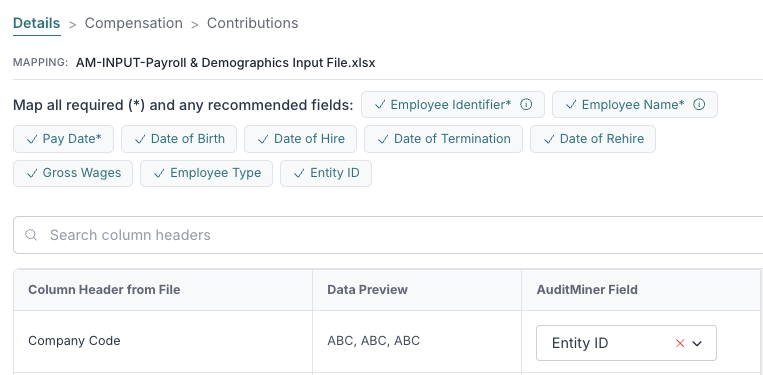
0. When to Use the Entity ID Column Mapping
In an Engagement, if you're working with payroll data across different companies, locations or other entities, mapping the optional Entity ID field will display the related value(s) in your Census and Payroll & Contribution Detail reports. This will allow you to better trace data in your AuditMiner outputs back to the source.
1. How to Use the Entity ID Column Mapping
Step 1a: Upload all relevant payroll files when adding payroll data to your engagement
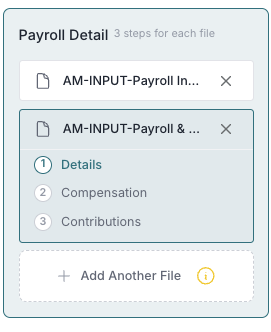
2. Map The Entity ID
Step 2a: Click on a Payroll Detail file
Step 2b: Click on 1 Details for the file and map the Entity ID to the appropriate column in your input file
Step 2c: Repeat for each Payroll file uploaded, as necessary