
Our Universal Recordkeeper product now supports all recordkeeper types, giving firms the ability to audit any plan, any provider, in one simple workflow.
Download and format flat files, use AI suggestions to quickly map recordkeeper fields to standardized outputs, process, and get standardized workpapers that match AuditMiner's integrated recordkeepers.
Table of Contents
Download Recordkeeper Files
To generate your Universal Recordkeeper workpapers, download 4–5 separate participant-level reports covering the full audit period.
- Account Activity
- Contributions
- Distributions
- Loans
- Investments (if needed)
Files must be in Excel or CSV format and use a flat format with a header in the first row and corresponding data in the rows below. At this time PDFs cannot be processed.
Upload and Map Your Files
Once you have your files, choose the Other option when you click to Add Data in your engagement. You can enter your Recordkeeper's name and view the file uploader. Choose if you want to use AI Suggestions to map your data and if your Account Activity file has investment information.
Add Your Recordkeeper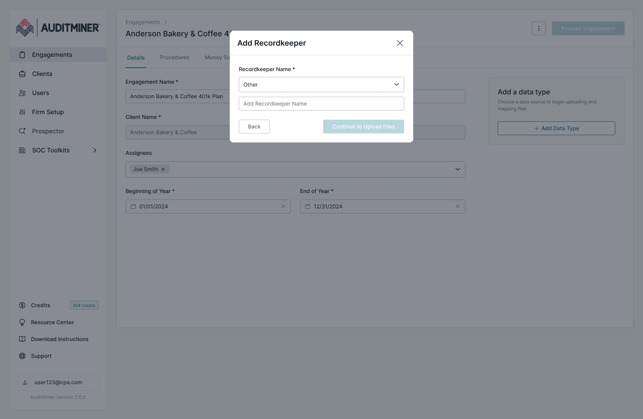
Add each file to the appropriate uploader and then map all required (and any recommended) fields for each file. If you chose to use the AI suggestions, you should be off to a good start. Verify your mappings before clicking Save Progress and Finish Mapping. Or Save and Continue Later to come back to your work later.
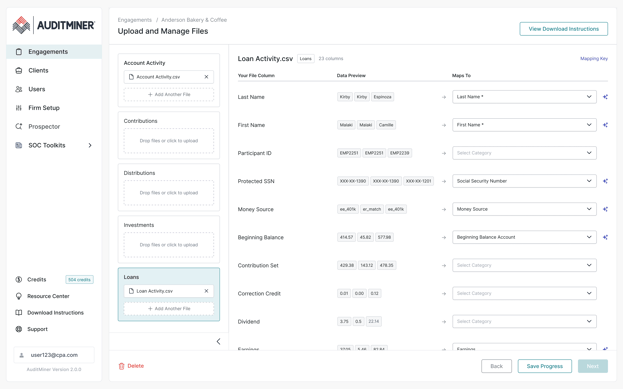
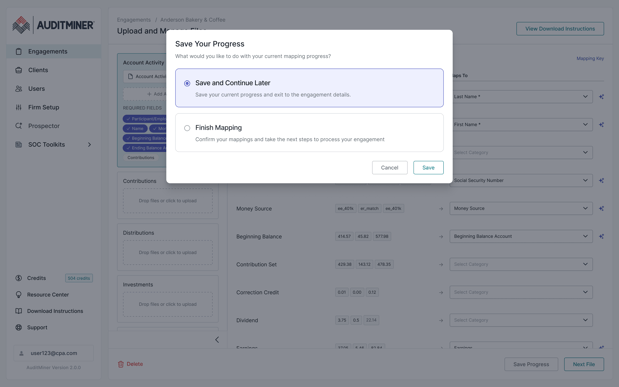
Engagement Settings
After you add the recordkeeper data, the procedures and sampling will be separate from the data upload step.
Engagement Details - Procedures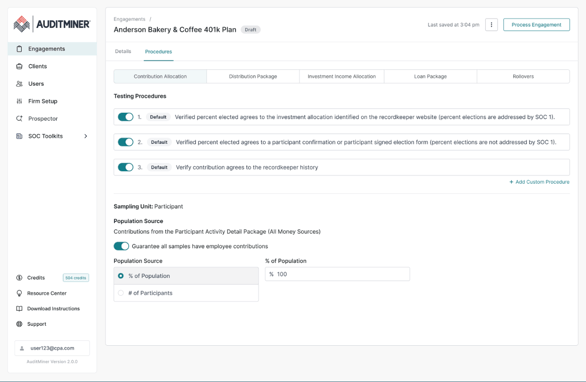
You will also see a step to confirm and/or map money sources for the plan.
Engagement Details - Money Sources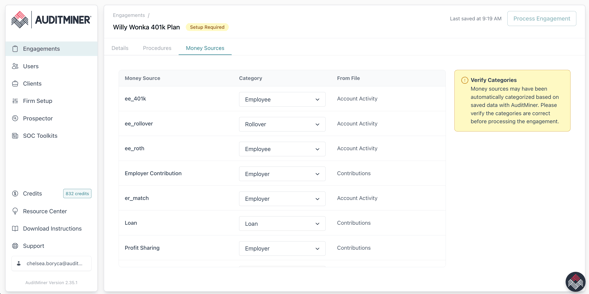
Engagement Processing
When all required setup steps have been completed, the "Process Engagement" button on the Engagement Detail page will activate. If an engagement is not ready to process, banner messages and icons will be visible on the Engagement Detail page, explaining what steps remain.
Engagement Detail page - Ready for Processing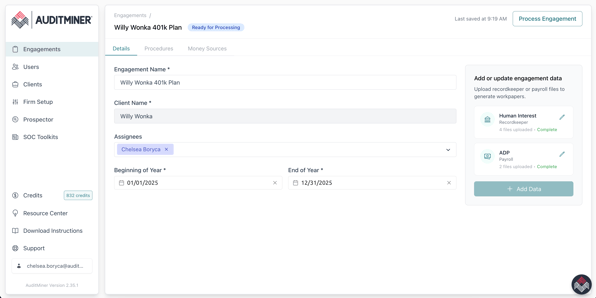
Once you are ready to process, simply press the "Process Engagement" button and your data will be processed, publishing workpapers and reports as soon as results are ready--usually in a few minutes. Once results are ready, you will receive an email notification just like you always have, and a new Results tab will appear on the Engagement Detail page.
Engagement Detail page - Results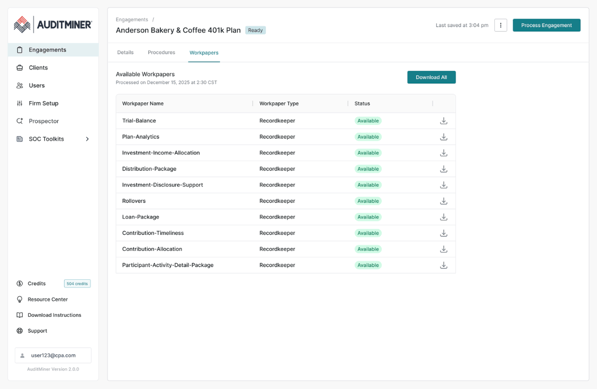
If you need to make changes to your engagement or add more data, you can always come back and reprocess your engagement at any time. Simply make your changes and press the "Process Engagement" button again. Your Results tab will display the date and time results were last processed.