At AuditMiner our goal is to consistently improve the efficiency and effectiveness of our product. These enhancements represent many of the top requested needs we heard from customers throughout the 2025 busy season.
If you're interested in sharing your own product requests, don't hesitate to schedule a meeting with our product team, we love talking to our customers!
Table of Contents
Update Summary
We heard your feedback, and we responded with sampling and workpaper enhancements we believe will reduce manual audit work even further. The visual below provides a quick overview of what has been released in the final quarter of 2025. Keep reading for an in-depth understanding of these changes and what exactly has changed within AuditMiner's workpapers.
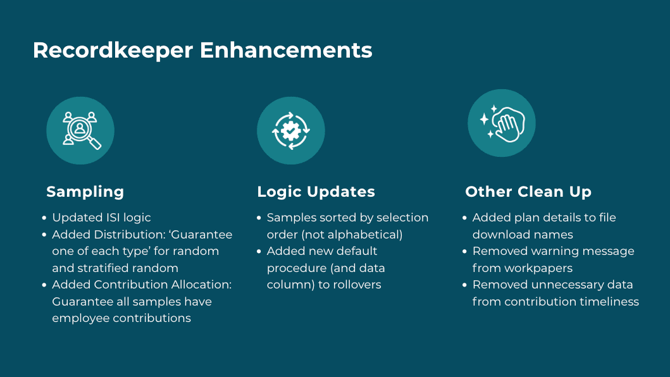
Sampling
We’ve improved our sampling logic and options so you get more relevant samples, making it easier for auditors to jump right into their work.
Contribution Allocation
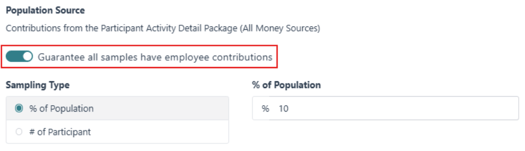
A new option to ‘guarantee all samples have employee contribution’ is available in the contribution allocation sampling settings to allow all selected samples have employee contribution amounts greater than zero.
Investment Income Allocation
In the investment income allocation workpaper, beginning and ending balance thresholds have been introduced to avoid selecting samples with low account balances. This enhancement reduces the likelihood of outlier results that do not reflect the plan’s overall investment income allocation trends.

Distribution Package
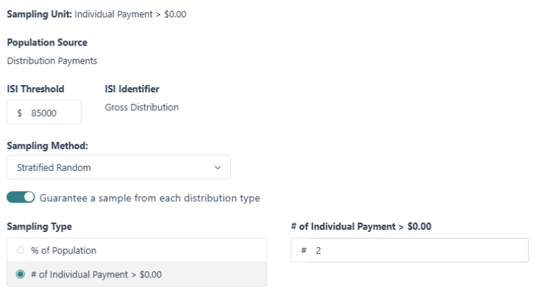
To improve sampling accuracy in the distribution package, logic has been updated as follows:- When using the ISI Threshold function, any distribution that meet the defined threshold will be automatically SELECTED.
- In addition to the above selected individually significant items (ISI), the remaining population will be SAMPLED based on the user-specified requirements.
Example: Total population: 123
Individually significant items (ISI): 10
Remaining population to be sampled: 113
Intended sample size: 10% --> 10% x 113 = 11.3; rounded up to 12
Total items selected for testing: 10 (ISI) + 12 (sampled) = 22 - The total number of SELECTIONS may exceed the requested sample size, if:
- The number of distributions meeting the ISI threshold exceeds the requested sample size, or
- The sum of individually significant items and the sampled items exceeds the requested sample size, or
- The system must exceed the requested sample size to guarantee at least one sample from each distribution type.
- If the ‘guarantee a sample from each distribution type’ toggle is enabled, the system will consider the distribution types already selected through ISI when determining additional samples.
- Additionally, option to ‘guarantee a sample from each distribution type’ is available for both random and stratified random sampling types to allow for greater flexibility.
Sampling Order
The ‘sample by participant’ results in all workpapers are now sorted according to the order of sample selection, rather than alphabetically, to prevent any misunderstanding that the sampling process was not random.
Workpapers
Our latest enhancements boost functionality, sharpen accuracy, and increase the value of our recordkeeper workpapers, giving you clearer insights faster.
File Names
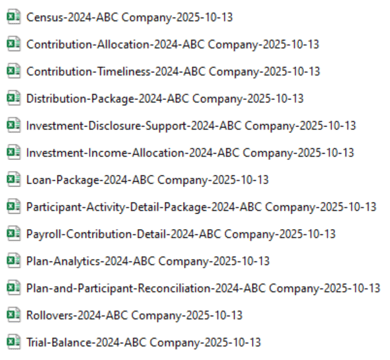
Downloaded file names have been updated to include plan details (plan year, client name, and processed date), allowing users to quickly identify and manage multiple plan files simultaneously.
Contribution Timeliness
Remittance records are now sorted first by payroll date and then by date received, providing a clear chronological view of remittance data based on pay date. Unnecessary columns, including deposit number and rollover amounts, have also been removed to streamline the contribution timeliness workpaper.
Rollovers
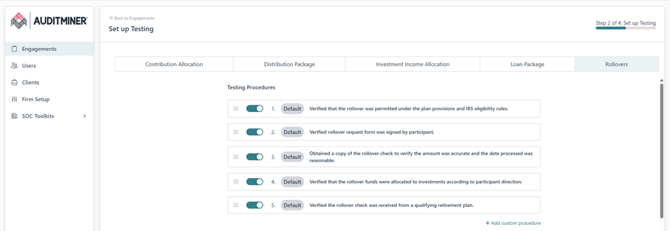
In the Rollovers workpaper, a default procedure was added to verify that the sampled employee is eligible for a rollover based on plan provisions (e.g., hire date). To expedite this test, a new column was also added to capture hire date information. Note: Enable the default procedure under ‘Firm Setup’ before proceeding to ‘Engagements Setup’.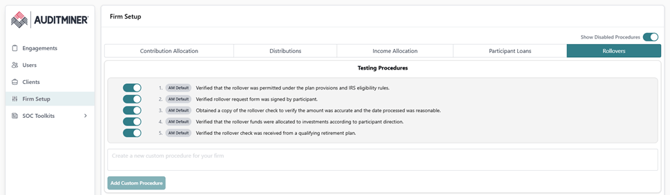
Plan and Participant Reconciliation
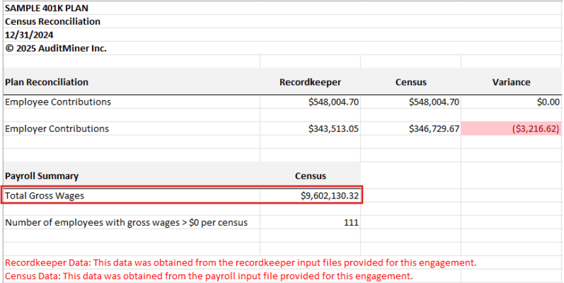
The ‘Payroll Summary’ section under the Census Reconciliation tab now references “Gross Wages” in place of “Total Compensation”, ensuring consistency with Form W-3 reporting. If Gross Wages were not mapped during payroll upload, this field will be blank for any newly processed plans.